ATTENDEE INTERACTION OPTIONS

Private Chat
- In the Home screen click on Attendees
- Here you'll see a list of all the attendees participating in the event. Click on the attendee you want to chat with
- In the attendee profile click on Start a chat button
- In the popup dialog, write your message and click Send
- Once you've sent the message, Agorify will redirect you to your inbox where you can continue chatting.
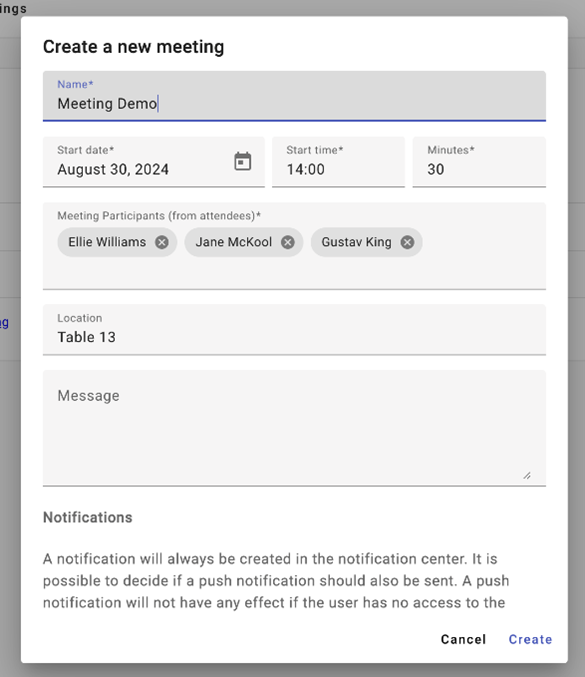
Schedule a Meeting
If there is allocated networking area, it will be indicated in the location field as option. If there are no allocated networking area, attendee can indicate meet up place, example “Meet at Booth 7” or “Meet at Foyer Registration Table”
Face to Face
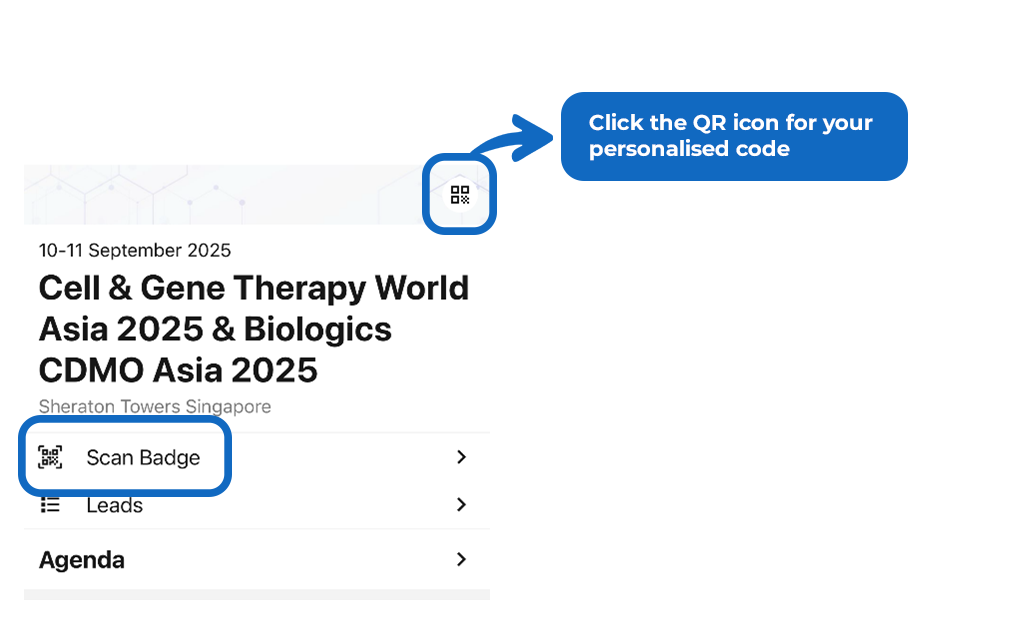
Using your mobile app, launch Agorify app Scan Badge function to scan your fellow attendees QR. The QR can be easily accessed at the top right corner of the home page.